Endpoint support, without the tab chaos.
A single, fast workspace for the people who support Microsoft-managed users and devices.
The Intune/Entra portal wasn't built for support.
Finding one user's devices — and understanding their real state — means jumping between Entra, Intune, and a dozen blades. Remote actions are buried. Permissions are all-or-nothing. For 1:1 support at global scale, it's slow.
From a name to a fixed device — in one place.
One search, every answer.
Find any user or device by dozens of attributes; EndpointOps pulls data from across the Microsoft Graph APIs and shows it on one page.
A health status you can read at a glance.
Every value that isn’t normal is surfaced and summarized, so you see problems instead of hunting for them.
Act without leaving the page.
Trigger remote device actions through Intune directly from the result.
Bulk actions for specialists.
UEM teams filter device fleets with advanced criteria and act in bulk.
RBAC that finally makes sense.
Granular, role-based access that replaces Intune’s complicated permission model.
One screen for a user, their devices, and their health.
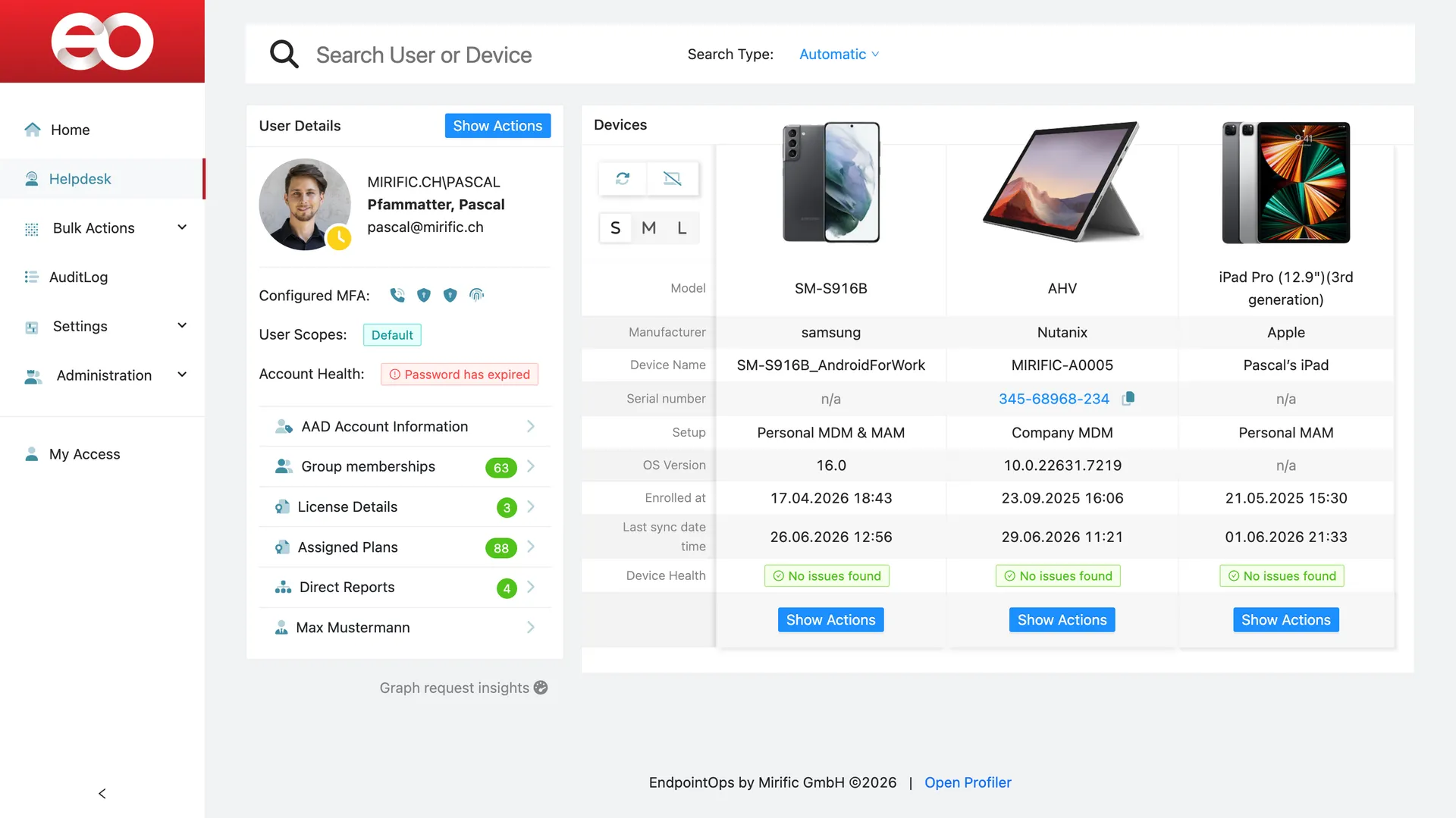
There's nothing else quite like it.
The honest alternative is the stock Intune and Entra portals — powerful, but scattered and slow for day-to-day support. EndpointOps is the workspace built specifically for the job.
Yours alone, secured by design.
Delivered as SaaS on a dedicated Azure instance per customer, with built-in granular RBAC.
A dedicated instance.
Delivered as SaaS, with each customer on their own Azure instance — not a shared multi-tenant pool.
Granular RBAC, built in.
Role-based access down to the action — not Intune’s all-or-nothing model.
See EndpointOps on your own tenant.
We'll walk you through it on your own Microsoft environment — your users, your devices, in one workspace.
- See a product in action
- Scope a custom build
- Brainstorm a problem